Posted on

Digital Signature Certificate Uses

Use of Digital Signature Certificate

A Digital Signature Certificate (DSC) is widely used for secure authentication, online approvals, and electronic document signing. Moreover, government departments, businesses, and professionals increasingly rely on DSCs to complete various online transactions.

Digital Signature Certificate is used for the following purposes.

– Income Tax Return (ITR) filing.
– GST registration.
– GST return filing for eligible taxpayers.
– All types of Company registration (LLP, LTD, PVT LTD, OPC, etc.)
– Annual compliance filing of all types of companies.
– Various filings and compliance activities on the MCA portal.
– Import-export transaction on the DGFT portal.
– Trademark registration and logo registration.
– Patent registration or application.
– IRCTC vendor transactions.
– Employee Provident Fund transactions.
– MGNREGA contractor-related activities.
– Government organization transactions.
– Panchayat office transactions.
– eTender and eAuction participation.

    Furthermore, the use of Digital Signature Certificates continues to grow every year. Therefore, numerous government and private portals now require DSC-based authentication for secure access and approvals. However, it is not practical to list every portal that accepts DSCs. Consequently, we have listed only some of the major portals below.

    List of websites accepting DSC for Tender

    The following are some major sites accepting class 3 digital signatures for submitting a tender.

    Government of India eProcurement System.
    Indian Oil Corporation.
    Ministry of Electronics and Information Technology.
    Coal India Limited.
    Government of India eTender Portal.
    Assam Water Resources
    Maharashtra Tender
    Engineering Projects (India) Ltd.
    West Bengal Tender
    ENERGY EFFICIENCY SERVICES LIMITED
    Airport Authority of India
    Assam Water Resource
    National Informatics Centre

    Please Note: Portal requirements may change from time to time. Therefore, users should verify the latest DSC requirements on the respective government or departmental portal before submitting applications, tenders, or statutory filings.
    Posted on — 3 Comments

    Digital Signature Price List 2025. Check Latest DSC Price.

    Digital Signature Price List

    Digital Signature Price List

    Digital Signature price is moving northward. With more government intervention and higher tax rates, the rate increases about 3 to 4 times the earlier price. The syndicate of CCA with a Certifying authority makes the common man pay more for DSC.

    Following is the Digital Signature price list. It includes the price of different Certifying Authorities as per the July 2024 notification. RAs can not change the DSC price any more. They can only issue DSC as per the list. A small variance is possible under some conditions.

    Digital Signature Price List

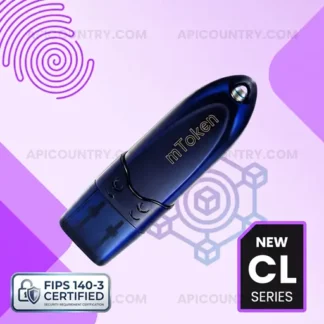
    The digital signature price list includes only certificate costs. The token cost will be extra. The CCA of the Government of India has given approval to 3 Tokens to download DSC.

    Certificate NamePrice in INRDiscount Percentage
    Class 3 Sign Only – 2YrRs. 969/-10% Standard Discount
    Class 3 Sign Only – 3YrRs. 1449/-10% Standard Discount
    Class 3 Sign With Encryption – 2YrRs. 1984/-10% Standard Discount
    Class 3 Sign With Encryption – 3YrRs. 2890/-10% Standard Discount
    IET DGFT – 1YrRs. 1689/-10% Standard Discount
    IET DGFT – 2YrRs. 1989/-10% Standard Discount
    IET DGFT – 3YrRs. 2899/-10% Standard Discount
    Document Signer – 2YrRs. 9969/-10% Standard Discount

    Furthermore, we follow the pricing guidelines issued by the respective Certifying Authorities licensed under the Controller of Certifying Authorities (CCA), Government of India. Additionally, we offer a standard discount of 10% to our customers, wherever applicable.

    Please Note : DSC prices, discounts, validity periods, and token requirements may change from time to time. Therefore, users should confirm the latest pricing and eligibility requirements before placing an order.

    Posted on — 1 Comment

    Definition Of Digital Signature Certificate

    Digital signature definition: It is defined as “A digital signature is a mathematical scheme for verifying the authenticity of digital messages or documents. A valid digital signature, where the prerequisites are satisfied, gives a recipient very strong reason to believe that the message was created by a known sender (authentication) and that the message was not altered in transit.” Source: wikipedia.org

    To simplify the digital signature definition, It is a medium to verify the authenticity of the user. If a digital signature is applied to any document, it gives strong reason to believe that it is sent by the person whose signature is present on it and no one else. it represents digital authenticity or approval of the document or message by the sender. It also confirms the document or message was not tampered with or altered during transit.

    Digital Signature Meaning in general use.

    To normal people, it is no use to tell a definition. So here is the simple meaning of digital signature. It is used to sign any digital form, document, etc that is applied or sent online. For example, if you filling out your income tax, you need to sign the form/pdf to submit it. You need to sign the form using a digital signature. Similarly, it is used to authenticate your acceptance of the bid amount while applying for e-tenders.

    Now you might think, about how to get a digital signature or what are the uses of a digital signature certificate. Since it is a different subject, we discussed those topics in a separate article. You can check them and comment if that was helpful.

    What is digital signature

    If you prefer the Hindi language, watch the video tutorial to know the definition & meaning of DSC in Hindi.

    You can buy digital signatures online from Apicountry. Subject to Certifying Authority requirements, we do not require any hard copies. The application process is the completely paperless mode. We have Aadhaar & PAN verification links available for Individual applicants. Organizations simply need to send the scan copies only. Therefore we are the most popular digital signature provider since 2015.

    We are associated with many Certifying Authorities including eMudhra, SignX, Capricorn, and Sify etc. Since we have a dedicated link, we are able to get the DSC approved in no time. We also help you with the verification and documentation process. Write us if you have any other requirements.

    Posted on — 15 Comments

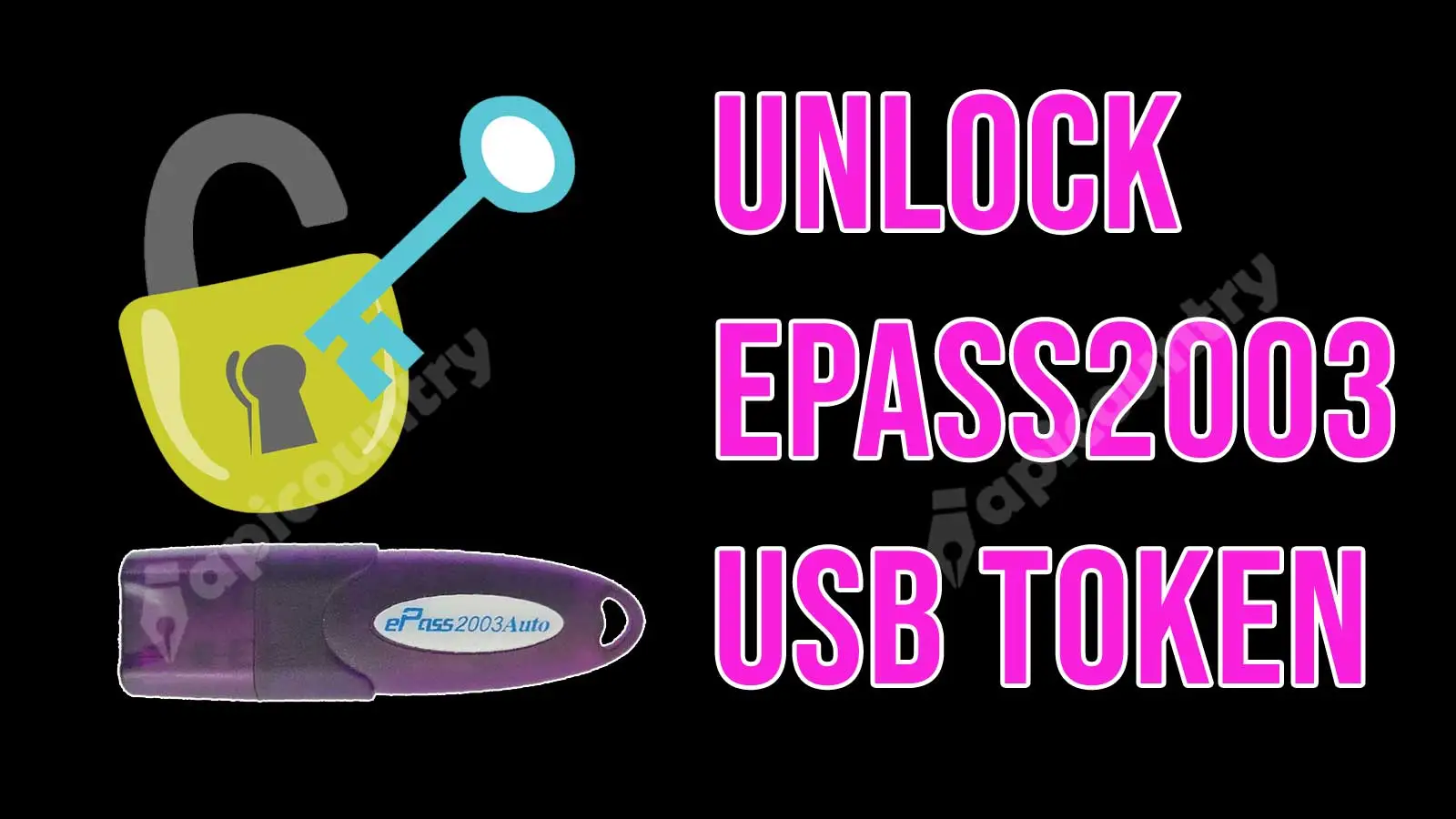
    Unlock ePass2003 Auto Token CSP 2.0

    Unlock epass2003auto USB Token

    The below unlock process is only applicable for CSP 2.0 ePass2003 Auto tokens. If you are having the old token then refer to section 2 of the unlocking process.

    Unlock ePass2003 Auto Token CSP 2.0

    • SO PIN for ePass2003 CSP2.0: SO pin for epass2003 auto tokens are not fully available. Sometimes or very rarely available on a case-to-case basis. We have to unlock it through OTP mainly. You can apply SO Pin/OTP for ePass2003auto Token here.
    • Find the attached admin utility form link https://www.apicountry.com/myuploads/ePass2003-Admin-Plugin.zip
    • Download and extract it.
    • Open the ePass2003-Admin-Plugin utility. (Close epass2003auto token manager before opening the Admin Utility.)
    • Click on the arrow above the Exit button.
    • Click on Unblock button given above and enter the SO PIN / OTP.
    • Enter the new PIN and confirm it.

    Unlocking CSP 1.0 ePass2003 Auto Tokens

    If you have a CSP 1.0 ePass2003 Auto Token, first verify whether the token is eligible for an upgrade. As of 2026, token upgrades are available only for certain compatible and supported tokens. Therefore, some older tokens may not qualify for an upgrade and may require replacement with a new token.

    If your token successfully upgrades to CSP 2.0, you can then follow the above steps to unlock it.

    Important: The upgrade process may affect the Digital Signature Certificate (DSC) stored inside the token. Therefore, back up or remove any existing DSC whenever possible before proceeding. Additionally, DSC re-download availability depends on the issuing Certifying Authority and the certificate’s validity period. Users should confirm re-download eligibility before initiating the upgrade process. Some certifying authorities allow re-download of digital signatures.

    Disclaimer: Token unlocking, OTP availability, SO PIN issuance, and upgrade eligibility vary depending on the token model, firmware version, Certifying Authority, and support policies in effect at the time of the request.

    Posted on — 4 Comments

    ePass 2003 Auto Token CSP Upgrade Procedure

    Upgrade epass2003auto csp version

    ePass 2003 Auto Token Upgrade Procedure for New CSP Version 2.0.

    CSP 2.0 refers to a new firmware version of a crypto token. Crypto Token is required to download a Digital Signature Certificate. As per the updated CCA guideline, CSP 2.0-enabled tokens can only be used to download a DSC after 1st July 2018. Hence all old tokens must be upgraded to be eligible for the DSC renewal process.

    Process:

    There are two ways to upgrade your ePass 2003 Auto Token. First is Interactive mode & second is Batch mode. If you are required to update a few tokens, say 2 nos, use Interactive mode. For a large number of tokens use Batch mode. Here we discuss both methods one by one. Prior to that, you need to download the ePass2003Auto Token CSP upgrade kit. Download the ePass 2003 Auto Token Upgrade kit here. After downloading, you will find a zip/rar file that you need to extract on your computer (You need WinRar software to extract the file).

    Note: Please remove the old digital signature inside the token before updating.

    After extracting, you will find many files. Now follow the below methods to upgrade according to the number of tokens you have.

    a: Interactive mode:

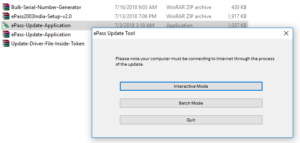
    1: Select the ePass-Update-Application.exe file as shown below.

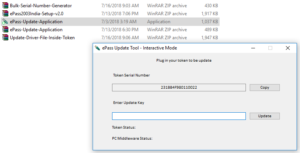
    2: Run the software, select Interactive mode & insert one token into the computer. you will see the serial number will show automatically as shown below.

    3: Copy the serial number in a text file or word file one by one. Once all serial numbers are collected, buy the token upgrade key from here. We will generate the update key and send it to you.

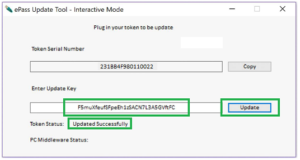
    4: Once you receive the updated keys, reopen the software. Select Interactive mode. Connect the token to the computer & update it using the key sent by us for that serial number. Please note that you can not update it if you have an existing certificate inside the token. you have to delete the old certificates first and then update them. Once the update is successfully done, the software show message “update successful”.

    b: Batch Mode:

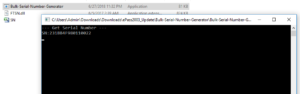
    Open the Bulk-Serial-Number-Generator.exe file. run the file. A black screen will appear. Now insert a token & wait. the serial number will show on the black screen. Once it shows the serial number, remove the token & insert a new one. Connect all tokens like this one by one. The software will capture it & save the serial numbers in an xls/csv file in the same folder. see the below image. Once you get the SN.csv file, email it to [email protected]. We will generate the update key & sent you back.

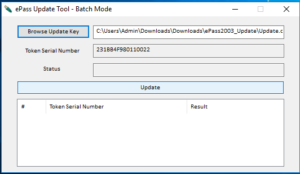
    2: Once you receive the updated keys, reopen the software. Select Batch mode. Now click “Browse update key” & select the update.csv file sent from us. Now insert the token & wait till it shows the serial number. Once shown, click on update. If the update succeeds, it shows the message in the result area. Now remove the token & connect the next token to update. Follow the above steps & update all tokens.

    3: If you have an old version of epass2003auto token installed on a computer, first uninstall it using windows add or remove the app application.

    4: After uninstall, download the ePass2003auto-Setup file. run the software & install it. Once it is installed successfully, you can proceed to download the DSC. Also, you can watch the below video tutorial for more info.

    https://youtu.be/RRygWPxN17w

    Disclaimer: Please verify your token’s eligibility before starting the upgrade process. As of 2026, only eligible ePass 2003 Auto tokens support the CSP 2.0 upgrade. Additionally, token model, manufacturing batch, and compatibility requirements determine upgrade availability. Therefore, some older or unsupported tokens may not qualify for an upgrade. In such cases, users must purchase a new token to continue using DSC services.

    Posted on — 3 Comments

    Download DSC Application Form

    Download Digital Signature Application Form

    Download DSC Application Form. Select your category and download the respective form. Fill out the form properly, scan it & send it to us along with supporting documents to process the DSC.

    Note: With effect from 1st January 2021, all individuals, organisations & foreigners can apply in a paperless format. The mandate to send documents has been withdrawn by CCA.

    Download DSC Application Form
    1-  Individual DSC Application Form. (Apply Paperless DSC)Download DSC Application Form
    3-  Government Organisation Form.Download DSC Application Form
    6-  Foreign Organisational DSC Application FormDownload DSC Application Form
    4-  IET DGFT DSC Form. (Apply Paperless DGFT)
    5-  Foreign Individual DSC Form.
    6-  Foreign Organizational DSC Application Form

    In brief, the major DSC categories include Class 3 DSC, DGFT DSC, and DSC for Foreign Nationals. Additionally, certificates are available in two variants Sign Only and Combo (Sign + Encrypt) with validity periods ranging from 1 to 3 years.

    To know more about classes and types of digital signatures, refer to our separate article on this.

    Posted on — 5 Comments

    What is a Digital Signature Certificate?

    What is digital signature certificate

    If you are looking for What is a Digital Signature Certificate, you have come to the right place. Here, you will get a brief meaning and use of it.

    In general terms, Digital Signature Certificate is a digital medium to sign forms or documents. It gives sufficient proof to the receiver that it was sent by the signed individual only. If you are looking for the definition of the digital signature certificate, you should check our article on it.

    Being a digital media, it requires a USB token to store it. USB tokens or DSC Tokens look like a Pendrive but are completely different in internal structure and design. Like a Pendrive, it can not store a spreadsheet, document, or song, but a digital signature. Many people misrepresent a digital signature as a Pendrive. If you need to buy a USB token, visit the link and get one for yourself.

    We have discussed how to get a digital signature certificate and the uses of a digital signature certificate in a different article. You should check them to get a clear understanding.

    Apicountry has been providing all types of digital signatures since 2015. We issue digital signatures to individuals, organisations, Government institutions as well as foreigners. We also provide DGFT DSC services for IEC holders, enabling secure authentication and seamless access to DGFT portal services and foreign trade transactions. You can check our article on how to buy a digital signature to understand the procedure and requirements to get one.

    How will Apicountry help in getting a DSC?

    Since we are a national distributor, Apicountry can provide a certificate from any certifying authority. We mostly used Emudhra’s key combination. However, you can write explicitly if you need a certificate from any other CA, like Sify or Capricorn, etc. We can get you one without any questions. We also provide complete help to properly complete the verification or documentation process. Get a complete list of certifying authorities from here.

    Write to [email protected] for any other requirements or confusion. We will be happy to assist you. You can also watch a video tutorial about What is a digital signature here in Hindi.

    Posted on — 1 Comment

    How To Make a Digital Signature Certificate?

    How to make a Digital Signature Certificate

    How to make a digital signature certificate is a common question for any individual who intends to buy one for the first time. Since it is a mandatory requirement for all tax filing and e-tender applications, an individual needs to buy it. To know what a digital signature certificate is, you can refer to our separate article.

    Once you know about it, the second important question will be which Class of DSC do you require? The answer to this question is your requirement and the purpose for which you need it. If you want to register a new company, you need a Class 3 Sign Only DSC. If you want to participate in an e-tender, you may require a Class 3 Combo DSC. Again, for import-export purposes, you need a DGFT digital signature. You can refer to our article Uses of Digital Signature Certificate for detailed information on it.

    Apply Digital Signature Certificate

    After getting all the information, one should be clear about DSC & which class is required. The next step is to apply for it.

    Anyone can buy DSC from Apicountry. We have listed separate products for different classes & types. Both individual & organisation applicants can apply for these products easily. A separate product listing was also made for DGFT and Class 3 DSC. Options are provided for New or renewal orders with flexible pricing and a year of validity. You can choose from the following and browse directly to the required page.

    Also, watch the following video tutorial (Hindi) to know more about how to make a digital signature certificate.

    DSC Application Process

    To make a DSC, the applicant needs to apply and verify their identity. Once you visit the above-mentioned link and complete the application process, you will receive the verification link. Individuals can verify their identity using the Aadhaar or PAN verification process. Because of updated CAA guidelines, Individual DSC will be applied in paperless mode only. Organisation applicants are required to upload scanned copies or soft copies of the required documents for paperless verification. Please watch the following video tutorials(Hindi) to know the application process.

    Downloading of DSC

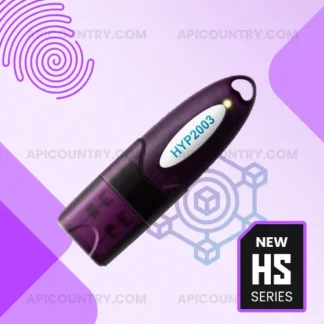
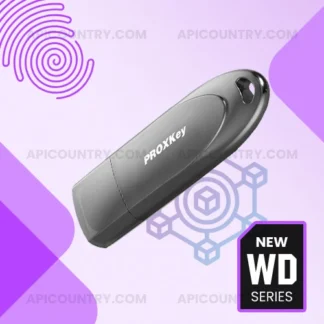
    The DSC Certifying Authority approves the application after successful verification. Then we can download the digital signature into a valid USB token. Proxkey Watchdata, HYP2003, ePass2003auto, etc., are some popular tokens. We can use it within its validity period, which is normally 2 years or 3 years. Because of the change in the CSP version, you need an updated USB token, which you can buy here. Please watch the following video tutorials(Hindi) to know the DSC download process.

    As per the current rule, a CSP 3.0 Token is mandatory to download the Digital Signature Certificate. Older token models will fail to detect during the download phase. Ensure you have the latest token, or else buy a new one while placing a DSC order on our website.