

Description
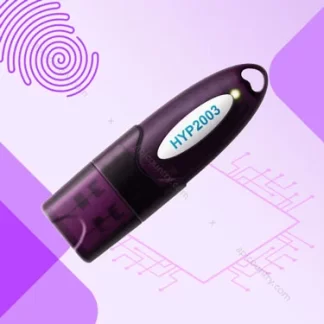
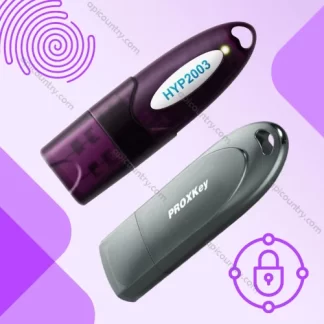
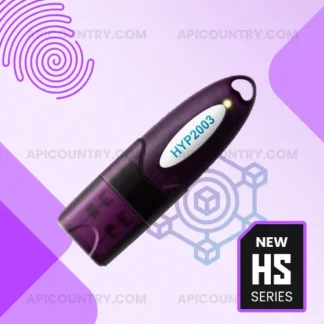
mToken for Digital Signature Certificate
mToken offers a secure and convenient way to download, store, and use your Digital Signature Certificate. It works as a USB cryptographic token and keeps your DSC ready for online signing, authentication, and statutory filing. Therefore, professionals, businesses, contractors, company directors, accountants, and regular DSC users can choose mToken for their everyday digital signing requirements.
After your Certifying Authority approves your DSC application, you can download the certificate directly into the mToken. The token stores the certificate and its associated private key inside the device. As a result, you can carry your Digital Signature Certificate securely and use it whenever an authorised portal asks you to sign or authenticate a transaction.
As per CCA guidelines, Level-2 (L2 or 140-2) Tokens can not be used to download new DSC after 21 September 2026. If you have old tokens with you, try to use them before the mentioned date. While purchasing a new token, check for the Level-3 (L3 or 140-3) status of the product. Currently, we are selling only the latest L3 (140-3) tokens.
Secure Storage for Your DSC
A Digital Signature Certificate confirms your identity during an online transaction. However, you must protect the private key linked to that certificate. mToken stores this key inside its hardware and reduces the risk of unauthorised access.
Moreover, the token requires a user PIN before it allows access to the certificate. Therefore, another person cannot easily use your DSC even if they temporarily obtain the device. You should still keep the token safe, protect the PIN, and avoid sharing it with anyone.
Unlike a normal pen drive, mToken does not simply store regular files. Instead, it uses specialised cryptographic functions to manage your certificate and digital signing activities. Consequently, you should not use it as a replacement for a standard USB storage drive.
Simple DSC Download Process
mToken supports a straightforward certificate download process. First, connect the token to a USB port on your desktop or laptop. Next, install the correct mToken driver for your operating system. Then, open the DSC download link or utility provided by your Certifying Authority.
After that, enter the required application details, verification information, and token PIN. Finally, select the certificate and complete the download process. Once the process finishes successfully, the mToken carries your Digital Signature Certificate.
The exact steps may vary between Certifying Authorities. Therefore, always follow the instructions that your DSC provider supplies. Additionally, do not remove the token while the system downloads or imports the certificate.
Useful for Online Signing and Filing
You can use mToken for many common DSC-based activities. For example, professionals and businesses may use it for income tax filing, GST-related work, MCA filings, company compliance, EPFO services, e-tendering, trademark applications, import-export procedures, and other online services that accept Digital Signature Certificates.
Similarly, contractors and suppliers can use the token while submitting bids on supported e-procurement portals. Company directors and authorised signatories can also use it to sign forms, returns, declarations, agreements, and other electronic documents.
However, every portal follows its own technical requirements. Some portals may ask you to install an additional signing utility, browser extension, Java component, or emSigner application. Therefore, check the portal instructions before starting the signing process.
Compact and Convenient Design
mToken comes in a compact USB format, so you can carry it easily in your pocket, laptop bag, or document case. Furthermore, you do not need a separate card reader or bulky device. Simply connect it to a compatible USB port whenever you need to access your DSC.
Because the token remains portable, you can use your certificate from different authorised computers after installing the required driver and portal utility. Nevertheless, you should avoid using your DSC on unknown or public computers. Such systems may contain unsafe software that can capture your PIN or interfere with the signing process.
Suitable for New and Existing DSC Users
You can purchase an mToken when applying for a new Digital Signature Certificate. You may also use an eligible empty mToken to download a renewed or reissued certificate, subject to the rules of your Certifying Authority.
Before downloading a new DSC into an old token, check its condition, available storage, driver support, and compatibility. In addition, confirm that the token does not contain another certificate that you still need. Never format, initialise, or reset an existing token without understanding the consequences because that action may remove stored certificates.
Important Product Information
This product includes the mToken USB cryptographic device. A Digital Signature Certificate does not automatically come with the token unless the selected package clearly includes one. Therefore, purchase or renew your DSC separately when required.
Also, install only the correct and trusted mToken driver. Avoid random download links, modified software, and unofficial utilities. Most importantly, keep your token PIN confidential and store the device in a secure place after every use.
Choose mToken when you need a practical USB token for downloading, storing, and using your Digital Signature Certificate. Its portable design, PIN-based access, and convenient DSC handling make it a useful choice for professionals, organisations, and individuals who regularly complete secure online filings and digital signing activities.
Reviews
There are no reviews yet.