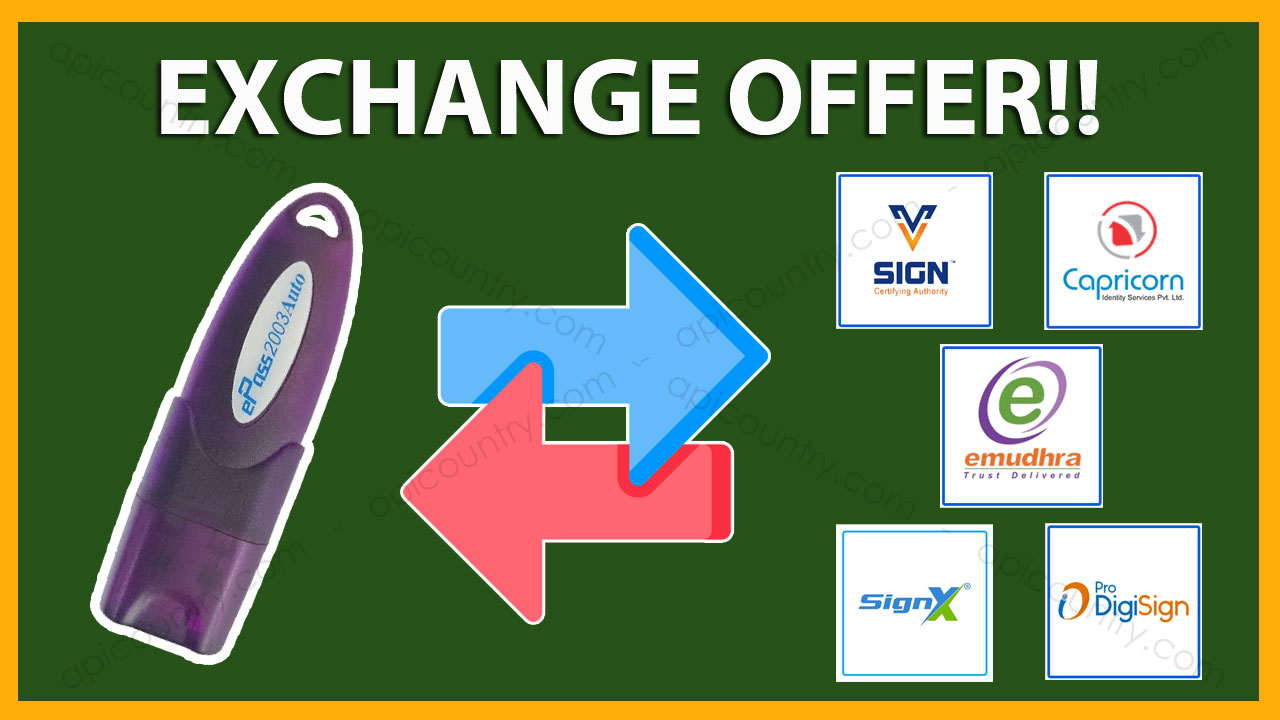
Old Token Exchange Offer means replacing old tokens with new tokens. Now you can get a new CSP 3.0 token against your old CSP1.0 and CSP2.0 Token. This offer is brought to you by Apicountry in collaboration with the Token manufacturer & certifying authorities.
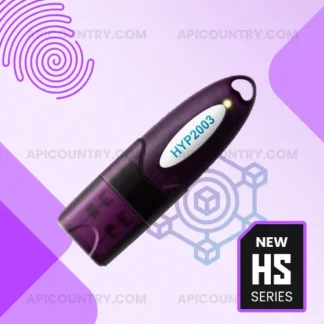
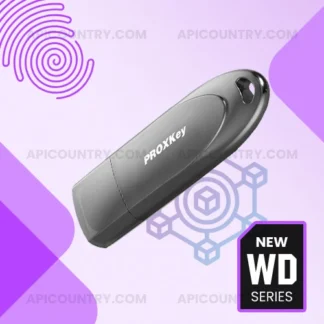
In this offer, we collect unused tokens from you. In return, we give a new CSP 3.0 token. Only ePass2003Auto, HYP2003 and Watchdata Proxkey Tokens are eligible under this offer. With this we can facilitate a buy-back of your unused tokens at a rate of Rs. 20 per token.
The tokens should be taken from us only. The buyer should bear the applicable courier charges in this process
Can we exchange used tokens?
Currently, there is no offer available. We will soon launch its offer once we get confirmation from the respective companies. Don’t give used tokens along with new tokens. We have the full right to dispose of old tokens without paying any money and can not send them back to you.
How can we give tokens and buy counters?
You need to send Tokens to our office address by courier or by hand. Please fill out this Token Exchange Form and send it along with the tokens for a smooth exchange process.
What tokens are eligible for this return/exchange process?
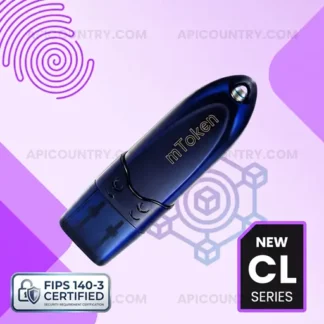
Tokens of the below make/brands are eligible under this offer. The token name should be neat and clean. Don’t paste any gum or sticker over the token. Don’t send tokens that are not eligible.
Yes, you need to email us the following details. 1 – Courier tracking number. 2 – Token Exchange Form (soft copy) with exact count of tokens.
We have mixed tokens old and new both. What should we do?
In case you have mixed tokens, try to segregate them if possible. All tokens will go through a software check before accepting an exchange offer. The company will accept or count the clean tokens only. If they find any used tokens or tokens with gum or any mark on it, they will be rejected. No compensation or return will be provided for them. Therefore we request you do not send them.
When should we receive new tokens in return?
Generally, you will receive new tokens within 15 days from the date we receive the old tokens. However, the maximum time given is 30 days.
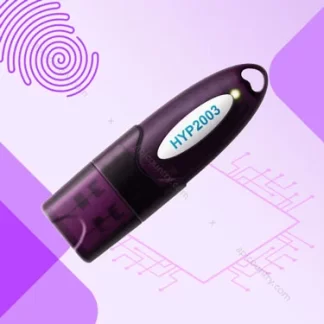
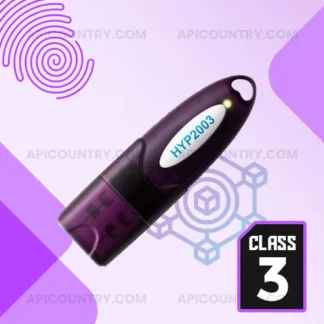
ePass2003Auto is now HYP2003. ePass name change into HYP by the token manufacturer. The new HYP2003 token is available in the CSP 3.0 version. Visit the product page for full token specification and price.
ePass2003 is a popular PKI token used to store Digital Signature certificates. It’s manufactured by Hypersecu. Now it is known as HYP2003. Token manufacturer rename it represents the latest modification in internal structure. Rest everything is same, like price feature & technical specification. No modification is done to the token hardware part.
The new HYP2003 by Hypersecu Canda is fully compatible with the new CCA guideline for USB Token. Buy the HYP2003 USB token from the following link.
The HyperPKI HYP2003 token supports major operating systems. However, some applications may require compatible middleware or token management software.. All popular OS platforms such as Windows, MacOS, and Linux are fully compatible with the new HYP2003. These operating systems natively recognize the token in hardware make and version code.
Therefore this DSC dongle is very easy to use. There are no outside plugins necessary. High-level applications can communicate with the token through the PKCS library. It can handle standard operations, such as key pair generation, encryption, decryption, digital signing, and more using PKCS#11 library.
Now you can claim GST invoices for all token bulk orders. Buy more and save more.
Additionally, high-level applications can communicate with the token through industry-standard interfaces such as PKCS#11. Consequently, the token supports common cryptographic operations, including:
New USB Token Guidelines by CCA are now live. The latest November 2022 circular is in force. Old Tokens are now not usable. It will be going to add more burden to the common man as well as the DSC resellers.
As per the new guideline issued by CCA on 14th November 2022, there is going to be a major change in the USB Token software part. Please go through the following points to know all points in detail. With effect from 1-Apr-2023 following changes must be implemented. However, some transitional provisions that applied during 2023 are no longer applicable in 2026.
USB Token Guidelines
No new USB Token shall be issued with the PIN Reset Option. It means all token manufacturers must disable the option to reset the token pin at the user level.
Users need to change the default token pin/password before downloading the certificate into it.
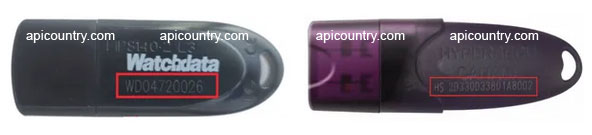
USB tokens should come with a unique serial numbering system with the first two digits containing the OEM’s (Original Equipment Manufacturer) name code. For example, WATCHDATA PROXKEY will have serial numbers like WD12345678. Similarly, HYP2003 will have serial numbers like HS12345678901 and so on. Refer to the following image for more clarification.
WHAT HAPPENS TO THE OLD SERIES OF TOKENS?
You can use the old series tokens till 31st March 2023 to download DSC.
Existing old tokens in which DSC is present will work till they are valid.
After expiry, the old tokens are not usable to re-issue new DSC.
The old Series tokens will not work to download the new certificate from April 1, 2023.
Token Upgrade Eligibility
To avoid a loss to the partner on account of unused stocks, the existing unused Tokens (Brand New) are eligible for an update to comply with New Guidelines 2.0 on a chargeable basis.
Old HYP2003 tokens are eligible for an update while ePass2003auto Tokens are not eligible for the update. Similarly, Emudhra, Vsign, Capricorn & Pantasign branded tokens are not eligible for the update.
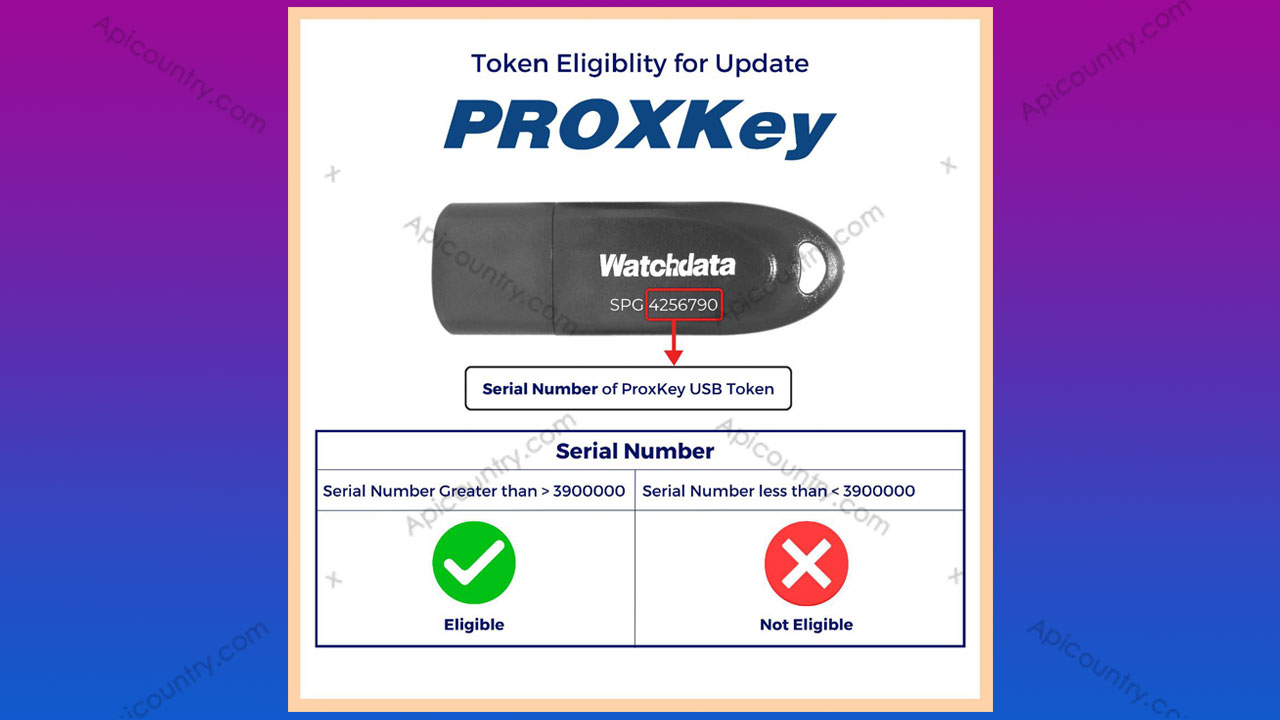
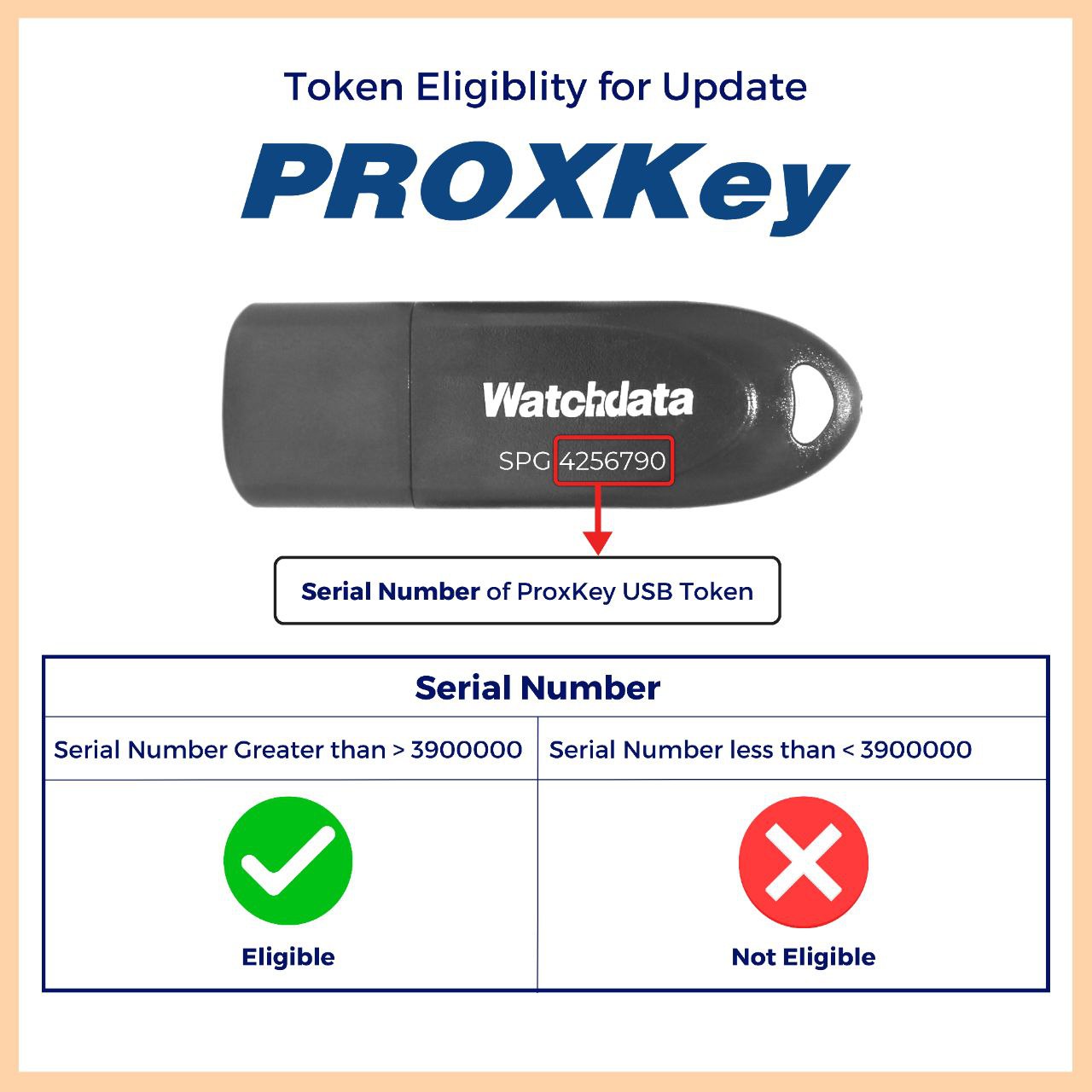
Proxkey Watchdata tokens are eligible for an update if the serial number is greater than 3900000 only. It means any Watchdata Proxkey token having serial numbers below 3900000 can not be updated.
Please note that only brand-new tokens are eligible for the update. If the tokens are used in any way, they are not eligible for an update.
The unused token update facility is open from 20-Mar-2023 to 20-Apr-2023 only. It is only there to prevent our business partners from any financial loss.
Hence, some of these details have been revised over time as of 2026. Therefore, users should always verify the latest guidelines issued by the Controller of Certifying Authorities (CCA), token manufacturers, and Certifying Authorities before proceeding with any DSC or token-related activity.
Proxkey Watchdata Token CSP Upgrade is very easy. You need to follow the following 8 points to upgrade your token to CSP 2.0, the latest one.
Proxkey Watchdata is one of the popular PKI tokens to store digital certificates. Without the latest CSP version, new certificates can not be downloaded. So the following points should be taken care of to get it done.
Step 1: Download the CSP Upgrade Utility
First, download the ProxKey WatchData Token CSP Upgrade Utility from the provided link. Afterwards, run the utility on your computer. Meanwhile, keep the token connected throughout the process. Before you begin the upgrade, close the token management software and update the driver only if required.
Step 2: Open the Upgrade Utility
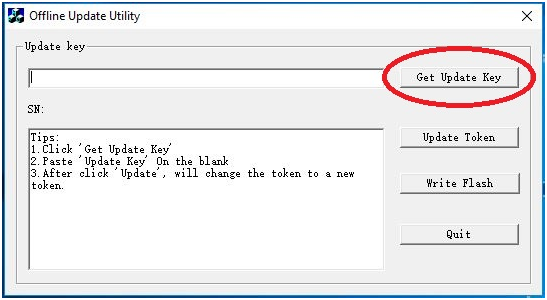
Once you open the software, it will look like the image shown below.
Proxkey Watchdata Token CSP Upgrade Utility
Step 3: Generate the Update Request
Click on the ‘Get Update Key’ button for the update code. Remember your token remains connected to the PC/laptop during the entire process. Also, close or uninstall the token driver.
Step 4: Obtain the Coupon Code
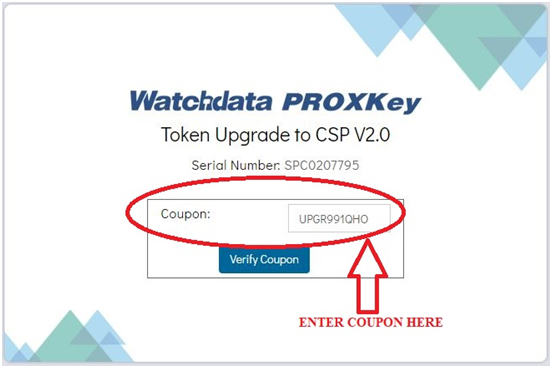
Now a browser will open and ask to enter the coupon code as shown below. Visit Update Token CSP Key to order your coupon code for this purpose.
CSP Upgrade Procedure
Step 5: Enter the Coupon Code
It takes 10 to 15 minutes to get the coupon code. It will be sent to the email ID that you set during the checkout. Collect it and enter it in the coupon code field.
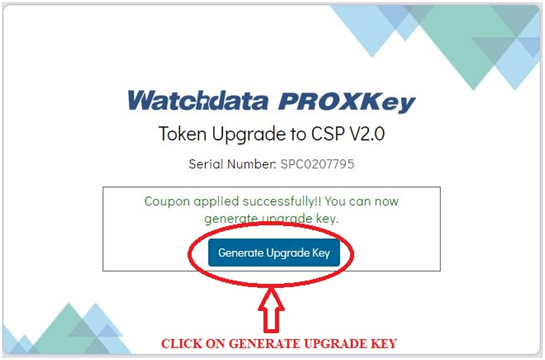
WatchData CSP Upgrade – Coupon Applied Successfully screen will be displayed.
After the successful submission of the coupon code, a confirmation screen will be shown. You need to click on the ‘Generate Upgrade Key’ button to generate one.
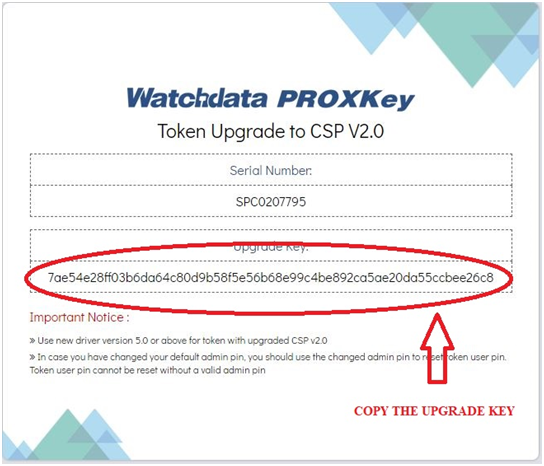
Proxkey Token Upgrade Key
Step 7: Update the Token
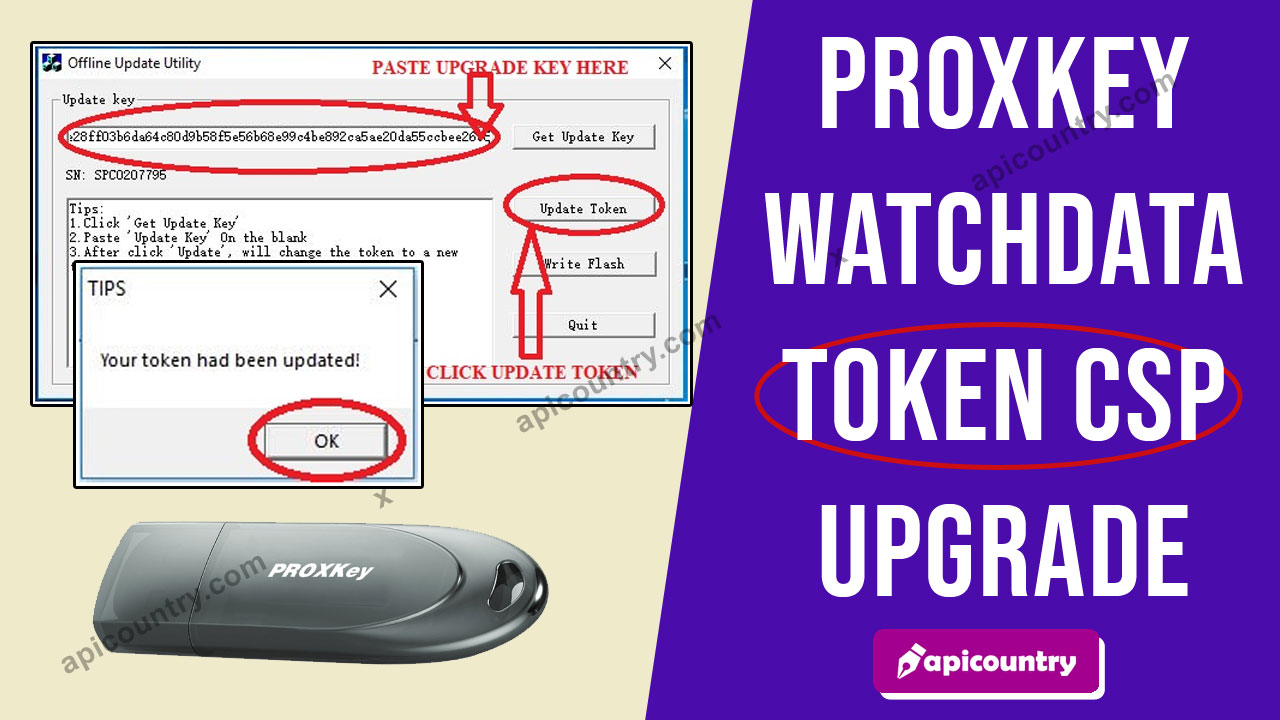
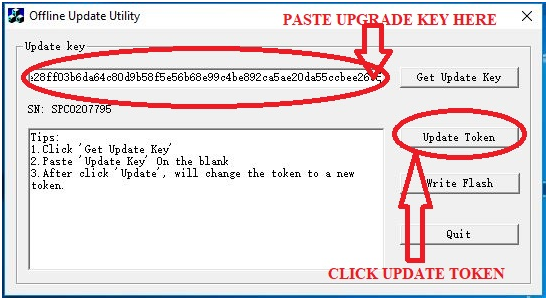
Now a new screen will open containing the upgrade key. Just copy the code and paste it into the upgrade utility software. Now click on the ‘Update Token’ button as displayed below.
Proxkey CSP upgrade key submission
Step 8: Complete the Upgrade
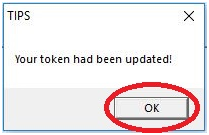
If everything works normally, you will get a successful message. Click OK and your Proxkey token is now upgraded to CSP 2.0 successfully.
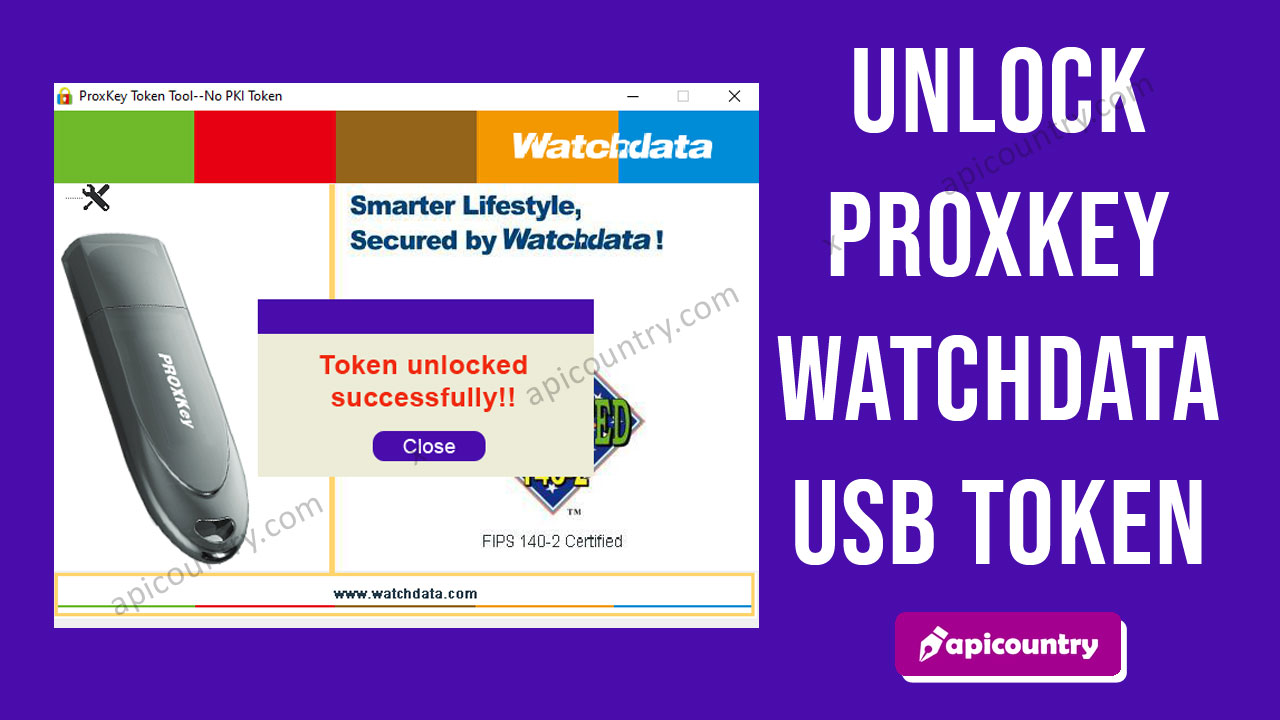
A ProxKey USB token stores your Digital Signature Certificate (DSC) securely. However, sometimes the token gets locked due to multiple wrong password attempts or technical issues. When this happens, you cannot use your DSC for signing or authentication. The good news is that you can unlock a ProxKey token easily by initializing it. This guide –“How to Unlock Proxkey Watchdata Token” explains the full process in a simple way.
What You Should Know Before Unlocking
Before you begin, remember one important point. Initializing the ProxKey token permanently deletes all certificates stored inside it. Therefore, you must apply for a fresh DSC or re-download an eligible DSC after unlocking the token. If you understand this requirement, follow the steps below carefully.
Step-by-Step Guide to Unlock ProxKey Token
First, go to your desktop and double-click the WD PROXKey icon. As a result, the ProxKey Token Tool will open on your screen.
Next, press Ctrl + Alt + W on your keyboard. Immediately, the Admin option should appear in the tool.
After that, click the + (plus) sign next to Admin. Then, select Initialize Token from the menu. Once selected, click the Initialization option.
Now, click the Initialization button to begin the process. At this stage, a warning message will appear. It will inform you that all existing certificates will be permanently deleted after initialization. Therefore, read the message carefully and click OK to continue. Meanwhile, do not remove or unplug the token during the process.
Within a few seconds, the system should display a confirmation message indicating that the token has been successfully initialized. Then, click OK again.
Afterwards, remove the token from your system and reconnect it properly. If the initialization process is successful, the token will become usable again. However, you must download or issue a new DSC before using it for digital signing.
What If Initialize Option Is Not Visible?
Sometimes, the Initialize Token option may not appear. In that case, install or update the latest compatible ProxKey driver from an authorized source. Afterwards, restart your system and reconnect the token.
Furthermore, the available options may vary depending on the driver version, token model, and operating system. Therefore, verify that you are using the latest supported software before performing additional troubleshooting.
Renew Your DSC After Unlocking
Since initialization removes the old certificates, you must apply for a new Digital Signature Certificate. To simplify the process, Apicountry offers a completely paperless DSC application process with online verification support.
Additionally, applicants can complete Aadhaar, PAN, and Video KYC verification without submitting physical documents. We also provide Class 3 DSC, DGFT DSC for IEC holders, Foreign National DSC, and Document Signer Certificates, along with end-to-end application assistance.
In conclusion, unlocking a ProxKey token is straightforward when you follow the correct steps. However, users should remember that token initialization may permanently remove the certificates stored inside the token. Therefore, always complete the DSC renewal or issuance process before using the token again. As a result, you can continue your digital transactions without unnecessary interruptions or delays.
Aadhaar Offline XML File is a secure and shareable document that can be used by any Aadhaar holder for offline verification of identification. This is also called Aadhaar Paperless Offline e-KYC. Any Aadhaar holder can securely download his/her Aadhaar Offline XML/Zip file for paperless e-KYC.
Use the link below to download it. Use any one of the two links given below. Download Aadhaar Offline XML File Download Aadhaar Paperless Offline e-KYC
After downloading the Zip file, you can extract it using the share code. The extract file should be an XML file containing vital information about your Aadhaar. You can use either the Aadhaar XML file or the Aadhaar Paperless Offline e-KYC ZIP file, depending on the verification process.
Some verification processes ask for zip format attachments, while others ask to upload XML format only. These are the only two methods of using the offline Aadhaar verification process.
Furthermore, Apicountry provides a completely paperless DSC application process. Applicants can apply online, complete Aadhaar, PAN, and Video KYC verification, and receive assistance throughout the approval process.
The Fourth Schedule under the Trade Marks Rules, 2017, as adopted by IP India, provides the official Trademark Class List. Furthermore, India follows the internationally accepted Nice Classification system, which divides trademarks into 45 different classes.
Selecting the correct trademark class is one of the most important steps in the trademark registration process. Since trademark protection applies only to the selected classes, applicants should carefully identify the goods or services they offer before filing an application.
Generally, Classes 1 to 34 cover goods, whereas Classes 35 to 45 cover services. Therefore, applicants should choose the appropriate class carefully. Otherwise, an incorrect selection may delay the registration process.
Additionally, many businesses offer both goods and services. Consequently, they may need to register their trademark under multiple classes to obtain broader protection.
Accordingly, the following Trademark Class List is prescribed under the applicable rules:
Name of the classes (Parts of an article or apparatus are, in general, classified with the actual article or apparatus, except where such parts constitute articles included in other classes)
Class 1. Chemicals used in industry, science, photography, agriculture, horticulture, and forestry; unprocessed artificial resins, unprocessed plastics; manures; fire extinguishing compositions; tempering and soldering preparations; chemical substances for preserving foodstuffs; tanning substances; adhesives used in industry.
Class 2. Paints, varnishes, lacquers; preservatives against rust and against deterioration of wood; colorants; mordents; raw natural resins; metals in foil and powder form for painters; decorators; printers and artists.
Class 3. Bleaching preparations and other substances for laundry use; cleaning; polishing; scouring and abrasive preparations; soaps; perfumery, essential oils, cosmetics, hair lotions, dentifrices.
Class 4. Industrial oils and greases; lubricants; dust absorbing, wetting, and binding compositions; fuels(including motor spirit) and illuminants; candles, wicks.
Class 5. Pharmaceutical, veterinary and sanitary preparations; dietetic substances adapted for medical use, food for babies; plasters, materials for dressings; materials for stopping teeth, dental wax; disinfectants; preparation for destroying vermin; fungicides, herbicides.
Class 6. Common metals and their alloys; metal building materials; transportable buildings of metal; materials of metal for railway tracks; non-electric cables and wires of common metal; ironmongery, small items of metal hardware; pipes and tubes of metal; safes; goods of common metal not included in other classes; ores.
Class 7. Machines and machine tools; motors and engines (except for land vehicles); machine coupling and transmission components (except for land vehicles); agricultural implements other than hand-operated; incubators for eggs.
Class 8. Hand tools and implements (hand-operated); cutlery; side arms; razors.
Class 9. Scientific, nautical, surveying, electric, photographic, cinematographic, optical, weighing, measuring, signaling, checking (supervision), life-saving, and teaching apparatus and instruments; apparatus for recording, transmission, or reproduction of sound or images; magnetic data carriers, recording discs; automatic vending machines and mechanisms for coin-operated apparatus; cash registers, calculating machines, data processing equipment and computers; fire-extinguishing apparatus.
Class 10. Surgical, medical, dental, and veterinary apparatus and instruments, artificial limbs, eyes and teeth; orthopedic articles; suture materials
Class 11. Apparatus for lighting, heating, steam generating, cooking, refrigerating, drying ventilating, water supply, and sanitary purposes
Class 12. Vehicles; apparatus for locomotion by land, air, or water
Class 13. Firearms; ammunition and projectiles; explosives; fireworks
Class 14. Precious metals and their alloys and goods in precious metals or coated therewith, not included in other classes; jewelry, precious stones; horological and other chronometric instruments
Class 15. Musical instruments
Class 16. Paper, cardboard, and goods made from these materials, not included in other classes; printed matter; bookbinding material; photographs; stationery; adhesives for stationery or household purposes; artists’ materials; paintbrushes; typewriters and office requisites (except furniture); instructional and teaching material (except apparatus); plastic materials for packaging (not included in other classes); playing cards; printers’ type; printing blocks
Class 17. Rubber, gutta-percha, gum, asbestos, mica, and goods made from these materials and not included in other classes; plastics in extruded form for use in manufacture; packing, stopping, and insulating materials; flexible pipes, not of metal
Class 18. Leather and imitations of leather, and goods made of these materials and not included in other classes; animal skins, hides, trunks, and traveling bags; umbrellas, parasols and walking sticks; whips, harness, and saddlery
Class 19. Building materials, (non-metallic), non-metallic rigid pipes for building; asphalt, pitch and bitumen; non-metallic transportable buildings; monuments, not of metal.
Class 20. Furniture, mirrors, picture frames; goods(not included in other classes) of wood, cork, reed, cane, wicker, horn, bone, ivory, whalebone, shell, amber, mother-of-pearl, meerschaum and substitutes for all these materials, or of plastics
Class 21. Household or kitchen utensils and containers(not of precious metal or coated therewith); combs and sponges; brushes(except paints brushes); brush-making materials; articles for cleaning purposes; steelwool; unworked or semi-worked glass (except glass used in building); glassware, porcelain, and earthenware not included in other classes
Class 22. Ropes, string, nets, tents, awnings, tarpaulins, sails, sacks, and bags (not included in other classes) padding and stuffing materials(except for rubber or plastics); raw fibrous textile materials
Class 23. Yarns and threads, for textile use
Class 24. Textiles and textile goods, not included in other classes; bed and table covers.
Class 25. Clothing, footwear, headgear
Class 26. Lace and embroidery, ribbons and braid; buttons, hooks and eyes, pins and needles; artificial flowers
Class 27. Carpets, rugs, mats and matting, linoleum, and other materials for covering existing floors; wall hangings(non-textile)
Class 28. Games and playthings, gymnastic and sporting articles not included in other classes; decorations for Christmas trees
Class 29. Meat, fish, poultry, and game; meat extracts; preserved, dried, and cooked fruits and vegetables; jellies, jams, fruit sauces; eggs, milk, and milk products; edible oils and fats
Class 30. Coffee, tea, cocoa, sugar, rice, tapioca, sago, artificial coffee; flour and preparations made from cereals, bread, pastry and confectionery, ices; honey, treacle; yeast, baking powder; salt, mustard; vinegar, sauces, (condiments); spices; ice
Class 31. Agricultural, horticultural, and forestry products and grains not included in other classes; live animals; fresh fruits and vegetables; seeds, natural plants, and flowers; foodstuffs for animals, malt
Class 32. Beers, mineral and aerated waters, and other non-alcoholic drinks; fruit drinks and fruit juices; syrups and other preparations for making beverages
Class 33. Alcoholic beverages(except beers)
Class 34. Tobacco, smokers’ articles, matches
SERVICES
Class 35. Advertising, business management, business administration, office functions.
Class 36. Insurance, financial affairs; monetary affairs; real estate affairs.
Class 37. Building construction; repair; and installation services.
Class 38. Telecommunications.
Class 39. Transport; packaging and storage of goods; and travel arrangements.
Class 40. Treatment of materials.
Class 41. Education; providing training; entertainment; and sporting and cultural activities.
Class 42. Scientific and technological services, as well as research and design relating thereto; industrial analysis and research services; and the design and development of computer hardware and software.
Class 43. Services for providing food and drink; and temporary accommodation.
Class 44. Medical services; veterinary services; hygienic and beauty care services for human beings or animals; and agriculture, horticulture, and forestry services.
Class 45. Legal services; security services for the protection of property and individuals; personal and social services rendered by others to meet the needs of individuals.
Furthermore, selecting the correct trademark class is extremely important. Trademark protection applies only to the classes chosen during the application process. Similarly, many businesses operate across multiple categories. Consequently, they may need to apply.
Similarly, many businesses operate across multiple categories; consequently, they may need to apply under more than one trademark class to obtain adequate protection.
Additionally, applicants filing online may need to complete identity verification and other portal requirements. Therefore, a valid Class 3 Digital Signature Certificate (DSC) may also be required, depending on the filing method. Moreover, applicants should review their present and future business activities before selecting a trademark class. Therefore, they can avoid unnecessary amendments or additional trademark applications later.
Finally, applicants should regularly check for updates. Trademark classifications, filing procedures, and portal requirements may change over time.
Conclusion: Trademark classifications, filing procedures, and portal requirements may change from time to time. Therefore, applicants should always verify the latest guidelines available on the IP India portal before filing a trademark application.
Why Apicountry
Apicountry provide Class 3 Digital Signature Certificates (DSCs) whenever they are required for authorized online filings and related portal activities. Consequently, applicants can complete the process quickly and securely.
Moreover, our team guides applicants through document preparation, verification requirements, and application procedures. Therefore, businesses can reduce errors and avoid unnecessary delays.
Therefore, Trademark classifications, filing procedures, and portal requirements may change over time. so, applicants should always verify the latest guidelines available on the IP India portal before filing a trademark application.
An eKYC PIN is associated with your Digital Signature KYC account. In certain cases, you may need this PIN during the eKYC or eSign verification process. Additionally, some Certifying Authorities may require you to enter the eKYC PIN along with an OTP to complete the verification successfully.
Resetting the EKYC pin is a very easy process. EKYC Pin is a six-digit number associated with your Digital Signature KYC account. This pin is required to complete eKYC/eSign verification process. During the Esign process, you need to enter this Ekyc pin along with the OTP (if required by the Certifying Authority) to complete the verification.
If you forget the PIN, you may not be able to complete the verification process. Therefore, you must reset the PIN before proceeding further.
Furthermore, if your KYC account has already been approved, you can generally reset the PIN through the respective Certifying Authority’s portal. However, if your application is incomplete or pending, the available options may differ. In some cases, you may need to cancel the existing application and start a new verification process.
Below are the links to reset your eKYC PIN for Emudhra & Vsign Digital Signature. If you want to generate the same for other certifying authorities, comment to us. So we will add the links for you.
Take me to the Vsign Reset EKYC Pin Page.
Take me to the Emudhra Reset EKYC Pin Page.
Additionally, if you require the reset procedure for another Certifying Authority, please contact us, and we will provide the relevant instructions if available.
A Digital Signature is an electronic signing medium that proves the authenticity of the user. So it is important to choose the right digital signature. You will find different types of digital signatures in the market. But you should choose one as per your need only. Below is the list of digital signatures available in India and their application.
Types of Digital Signature Certificates
The following DSC categories are currently available:
Out of above mentioned 6 types of digital signing certificates, Class 1 and Class 2 are not used anymore. They are discontinued since 01-Jan-2021. So actually, we have 4 types of certificates to choose from. Refer to the below table to know the use of each digital signature.
Used for DGFT portal transactions related to import-export activities. Generally, only IEC holders require this certificate.
Document Signer
Used for bulk signing of documents, invoices, and emails. Organizations typically install it on a server for automated document signing.
Foreigner Digital Signature
Used by foreign individuals and foreign organizations for company incorporation, tax filings, and other transactions where a standard DSC is not applicable.
Class 3 Digital Signature
Used for Income Tax filings, MCA filings, company incorporation, annual compliances, EPFO activities, eTender and eAuction participation, ICEGATE transactions, trademark and patent applications, GST-related activities (where applicable), and various government portal transactions.
Class 3 DSC Variants
Furthermore, Class 3 DSC is available in two variants:
Sign Only – Used for digital signing.
Combo (Sign + Encrypt) – Used for digital signing and data encryption.
Additionally, users can choose a validity period ranging from 1 year to 3 years, subject to the prevailing guidelines.
Availability of Digital Signatures
Class 3 DSC remains the most widely used Digital Signature Certificate because it supports multiple applications. Therefore, we generally recommend Class 3 DSC for multipurpose usage.
The good news is that all above mentioned digital signatures are listed on Apicountry. You can apply for the required certificate, complete your verification and download it. It will be prepared in 15 minutes only. So get your digital signature now.
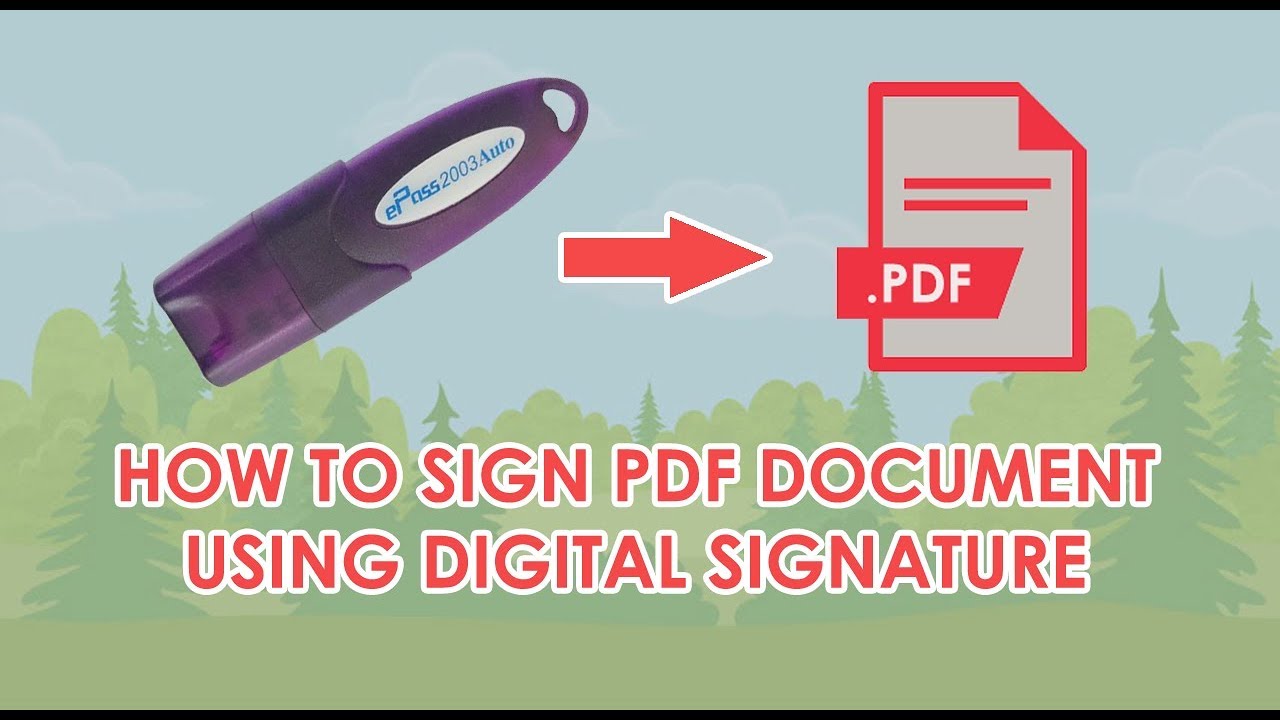
A working USB Token can be used to sign a PDF document easily. There should be an active digital signature present inside the token to sign the pdf. We need to install Adobe Acrobat Reader and the required token drivers.
To sign a PDF document, follow these steps:
1- Open the PDF document in Adobe Acrobat Reader.
2- Click Tools and select Certificates.
3-A Certificates toolbar will appear below the menu bar.
4- Click Digitally Sign.
5- Your cursor will change, allowing you to select the area where you want the signature to appear.
6- Select the desired location on the PDF.
7-Adobe Acrobat Reader will display the available Digital Signature Certificates.
8- Choose your certificate and complete the signing process.
9- Save the PDF document.
After saving, you can share and use the signed PDF whenever required. However, if you modify the document after signing, the digital signature may become invalid.
Please note that the exact steps may vary slightly depending on the version of Adobe Acrobat Reader you use.
The detailed process is described in the below video tutorial. Watch it to learn and understand the signing process of any pdf document using a valid USB token containing a digital signature.
Video Tutorial on using USB token to sign a pdf document.
Conclusion
You can use any USB token with a valid digital signature for pdf signing purposes. The popularly used tokens are Proxkey Watchdata, ePass2003Auto Tokens, HYP2003 Tokens etc. You can purchase one for yourself and get a new digital signature. WatchData, and ePass2003 Auto tokens.
Furthermore, most government and business portals now require a Class 3 digital signature or secure authentication and document signing. Therefore, users should choose the appropriate DSC type based on their specific requirements.
In addition, users should verify the validity period of their DSC before initiating any transaction. Consequently, they can avoid interruptions caused by expired certificates.
Finally, users should regularly update their token drivers and Adobe Acrobat Reader to ensure a seamless digital signing experience.